'/%3e%3cpath%20class='cls-1'%20d='M234.49,58.59H197.38V49.33h37.11Z'%20transform='translate(0.17%20-0.22)'/%3e%3cpath%20class='cls-1'%20d='M311.09,82.33H300.72V48.54L282.48,80.63a4.44,4.44,0,0,1-1.88,1.86,5.48,5.48,0,0,1-2.59.63,5.22,5.22,0,0,1-2.51-.63,4.52,4.52,0,0,1-1.84-1.86L255.34,48.54V82.33H245.06V30a5.14,5.14,0,0,1,3.79-5,5.46,5.46,0,0,1,3.27.22,4.85,4.85,0,0,1,1.4.83,4.77,4.77,0,0,1,1.07,1.28L278,68l23.43-40.72A5,5,0,0,1,304,25.16a5.36,5.36,0,0,1,3.34-.2A5.18,5.18,0,0,1,310,26.82,5.06,5.06,0,0,1,311.09,30Z'%20transform='translate(0.17%20-0.22)'/%3e%3cpath%20class='cls-1'%20d='M382.58,59.38a24.89,24.89,0,0,1-1.78,9.54,22.2,22.2,0,0,1-12.44,12.44,24.9,24.9,0,0,1-9.44,1.76H345a25,25,0,0,1-9.46-1.76A22.33,22.33,0,0,1,328,76.43a22.82,22.82,0,0,1-5-7.51,24.71,24.71,0,0,1-1.8-9.54V48.54a24.7,24.7,0,0,1,1.8-9.51,22.56,22.56,0,0,1,5-7.52,22.79,22.79,0,0,1,7.52-4.93A24.85,24.85,0,0,1,345,24.8h13.92a24.72,24.72,0,0,1,9.44,1.78,22.81,22.81,0,0,1,7.5,4.93A22.21,22.21,0,0,1,380.8,39a24.88,24.88,0,0,1,1.78,9.51ZM372.3,48.54a15.15,15.15,0,0,0-1-5.52,12.24,12.24,0,0,0-2.73-4.23,12.1,12.1,0,0,0-4.24-2.73,14.7,14.7,0,0,0-5.44-1H345a14.77,14.77,0,0,0-5.48,1,12.27,12.27,0,0,0-4.26,2.73A12.15,12.15,0,0,0,332.51,43a15.15,15.15,0,0,0-1,5.52V59.38a15.15,15.15,0,0,0,1,5.52,12.15,12.15,0,0,0,2.75,4.23,12.27,12.27,0,0,0,4.26,2.73,14.77,14.77,0,0,0,5.48,1h13.84a14.77,14.77,0,0,0,5.48-1,12.27,12.27,0,0,0,4.26-2.73,12.15,12.15,0,0,0,2.75-4.23,15.15,15.15,0,0,0,1-5.52Z'%20transform='translate(0.17%20-0.22)'/%3e%3cpath%20class='cls-1'%20d='M443.55,82.33H406.44a15,15,0,0,1-3.07-.34,15.3,15.3,0,0,1-3.24-1,14.53,14.53,0,0,1-3.07-1.84,12.5,12.5,0,0,1-2.59-2.73,13.47,13.47,0,0,1-1.8-3.71,15.66,15.66,0,0,1-.67-4.77V40a14.84,14.84,0,0,1,.34-3.06,15.74,15.74,0,0,1,1-3.25,15,15,0,0,1,1.86-3.06,13.09,13.09,0,0,1,6.45-4.39,15.47,15.47,0,0,1,4.75-.68h37.11V35.88H406.44A4.22,4.22,0,0,0,403.35,37a4.3,4.3,0,0,0-1.06,3.16V67.89A3.78,3.78,0,0,0,406.44,72h37.11Z'%20transform='translate(0.17%20-0.22)'/%3e%3cpath%20class='cls-1'%20d='M512,59.38a24.89,24.89,0,0,1-1.78,9.54,22.64,22.64,0,0,1-5,7.51,22.4,22.4,0,0,1-7.49,4.93,24.94,24.94,0,0,1-9.44,1.76H474.41A25,25,0,0,1,465,81.36a22.33,22.33,0,0,1-7.52-4.93,22.85,22.85,0,0,1-5-7.51,24.71,24.71,0,0,1-1.8-9.54V48.54a24.7,24.7,0,0,1,1.8-9.51A22.3,22.3,0,0,1,465,26.58a24.84,24.84,0,0,1,9.45-1.78h13.93a24.75,24.75,0,0,1,9.44,1.78,22.87,22.87,0,0,1,7.49,4.93,22.38,22.38,0,0,1,5,7.52A24.88,24.88,0,0,1,512,48.54ZM501.71,48.54a15,15,0,0,0-1-5.52,11.95,11.95,0,0,0-7-7,14.7,14.7,0,0,0-5.44-1H474.41a14.84,14.84,0,0,0-5.48,1,12.23,12.23,0,0,0-4.25,2.73A12,12,0,0,0,461.93,43a15,15,0,0,0-1,5.52V59.38a15,15,0,0,0,1,5.52,12,12,0,0,0,2.75,4.23,12.23,12.23,0,0,0,4.25,2.73,14.84,14.84,0,0,0,5.48,1h13.85a14.81,14.81,0,0,0,5.48-1A12.14,12.14,0,0,0,498,69.13a11.87,11.87,0,0,0,2.75-4.23,15,15,0,0,0,1-5.52Z'%20transform='translate(0.17%20-0.22)'/%3e%3c/svg%3e)
One-touch control. No coding. Fast to master.
U-MOCO OS simplifies path programming and device control for film production with intuitive blueprint editing, 3D simulation previews, and real-time robot control through a dedicated controller.
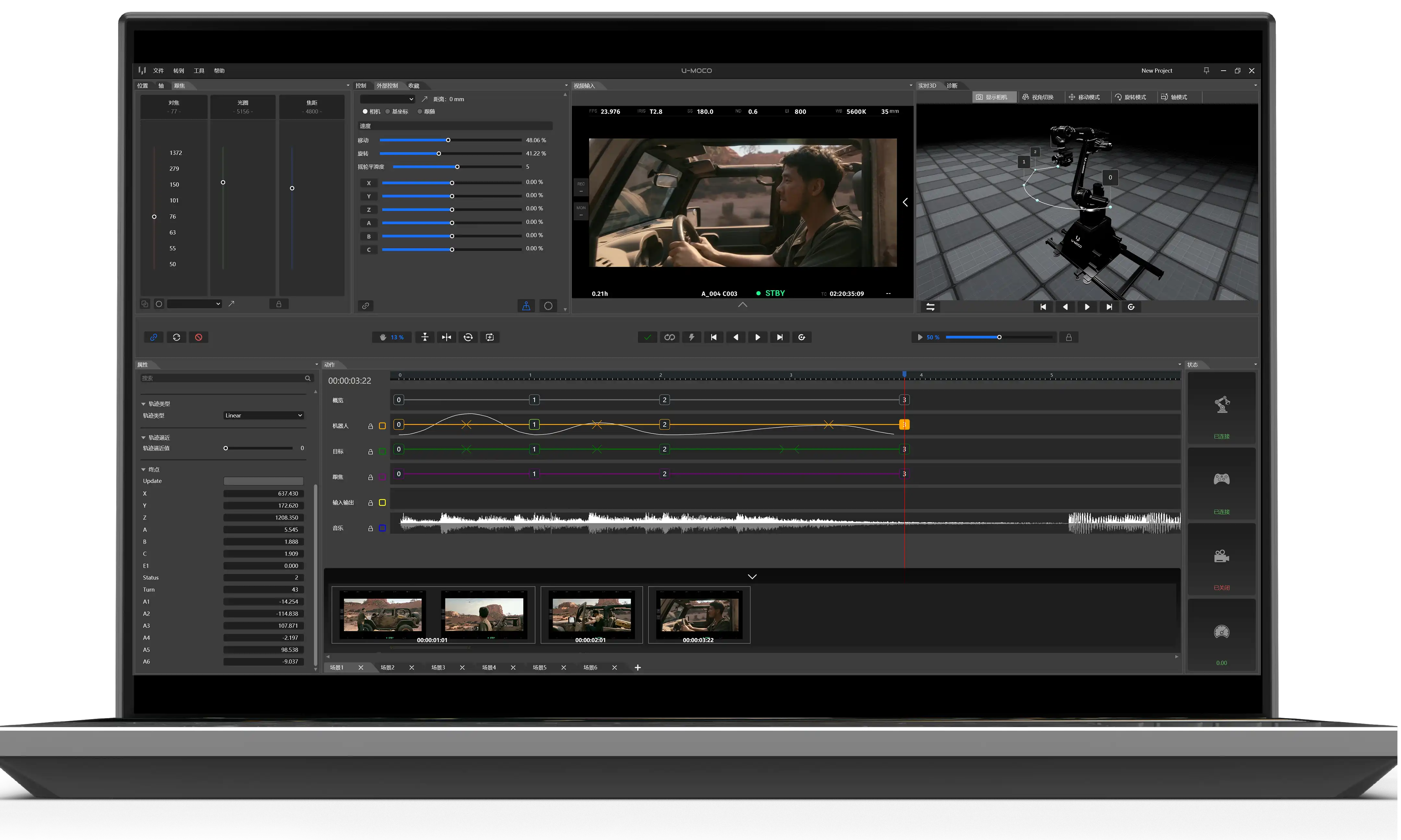
Designed for film production, U-MOCO OS supports the full U-MOCO range and coordinates multiple external devices. Its bilingual interface supports real-time control and path programming to improve production efficiency and reduce training time.
U-MOCO Cinema Robot Operating System
A user-friendly graphical interface that centrally controls multiple production devices. No robot-programming experience is required, so operators can work independently after basic training.
- Graphical interface
- Three-channel real-time F.I.Z. lens control
- Target tracking with automatic focus
- Robot path visualization in a 3D environment
- Fast to learn with no coding required
- Live camera preview at every motion keyframe
Traditional Industrial Teach Pendant
A command-line interface that cannot centrally control other production equipment, requires robot-programming knowledge, and offers a less approachable workflow.
- Command-line interaction
- No integrated real-time lens control
- Manual focus adjustment required
- No robot path preview
- Robot-programming knowledge required
- No camera preview at keyframe positions
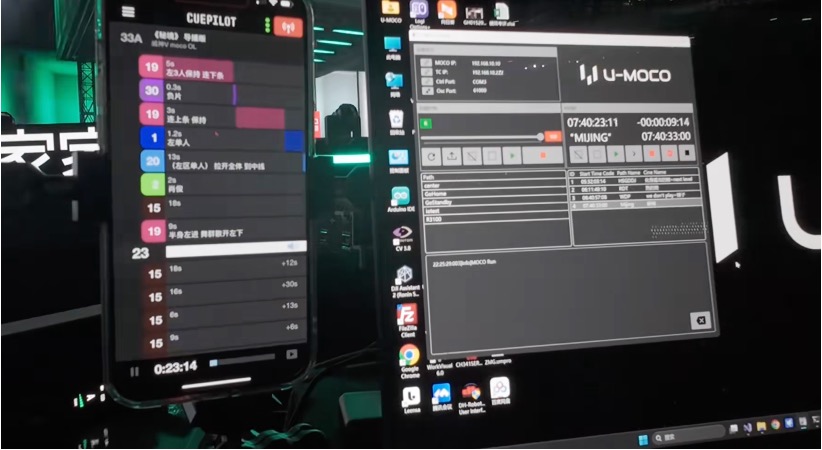
Control Multiple Devices in Sync
- Purpose-built for film production, integrating robot and camera-equipment control to improve shooting efficiency.
- Synchronize focus, iris, and zoom while centrally managing lenses, lighting, props, turntables, and other production equipment.
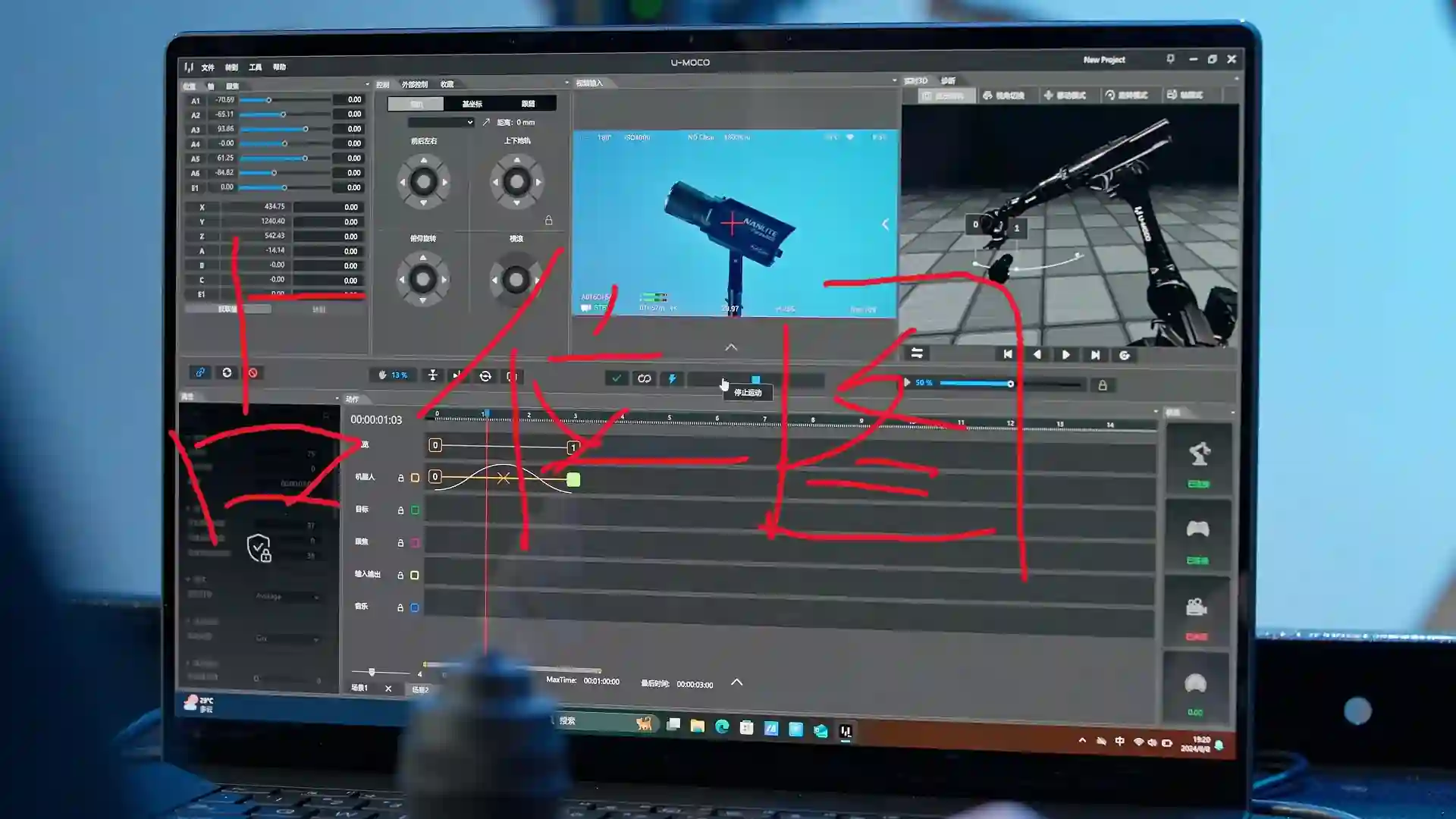
Visual Control with Clear Paths
- A graphical interface with drone-style control logic lets operators guide the robot using a dedicated controller.
- Intuitive blueprint editing and 3D simulation previews make motion paths visible and concrete.
- An edit-suite-style timeline connects seamlessly with post-production workflows.
Seamless XR Integration and Reliable Genlock
- Optimized communication with Unreal Engine (UE), Aximmetry, and disguise, plus support for tools such as Blender.
- Receive camera position and lens data in real time, with frame synchronization through Genlock.
- Compatible with Autodesk Maya plugins for precise robot control and path export.
Film Production
Efficient shoots. Limitless ideas.U-MOCO robots transform commercial and film production with precise camera movement and efficient operation, capturing complex shots from fresh creative perspectives.
Precise control and varied camera moves streamline VFX work, reduce corrections, and help ideas reach the screen more efficiently.
Virtual Production
XR without external trackingU-MOCO robots deliver high-precision, high-refresh, jitter-free camera position data. Native Aximmetry and Unreal Engine integration enables stable XR virtual production without external tracking equipment.
Professional Edition
Timeline Workflow
- An efficient, intuitive workflow modeled on editing software
- Curve-based speed changes and precise timing for seamless post-production handoff
Smartphone AR Control
- Visualize a virtual robot in the scene
- Compose shots and mark camera positions with a smartphone
- Execute camera moves with ease
Autofocus Algorithm
- Focus precisely and lock onto multiple focus targets automatically
Precise Positioning
- Keep the target centered in frame
Standard Edition
Path Planning Module
- Node-based planning for lines, arcs, point-to-point paths, pauses, wait times, and signal input/output
- Configure speed, acceleration, and smooth transitions in the properties panel
Node Keyframe Preview
- Capture and preview an image automatically when a node is created or updated after connecting a capture card
Motion Control Module
- View the robot's live pose in 3D
- Inspect and manage robot status from multiple angles