Lightweight Body
Easy to deploy on a desktop
14kg
'/%3e%3cpath%20class='cls-1'%20d='M234.49,58.59H197.38V49.33h37.11Z'%20transform='translate(0.17%20-0.22)'/%3e%3cpath%20class='cls-1'%20d='M311.09,82.33H300.72V48.54L282.48,80.63a4.44,4.44,0,0,1-1.88,1.86,5.48,5.48,0,0,1-2.59.63,5.22,5.22,0,0,1-2.51-.63,4.52,4.52,0,0,1-1.84-1.86L255.34,48.54V82.33H245.06V30a5.14,5.14,0,0,1,3.79-5,5.46,5.46,0,0,1,3.27.22,4.85,4.85,0,0,1,1.4.83,4.77,4.77,0,0,1,1.07,1.28L278,68l23.43-40.72A5,5,0,0,1,304,25.16a5.36,5.36,0,0,1,3.34-.2A5.18,5.18,0,0,1,310,26.82,5.06,5.06,0,0,1,311.09,30Z'%20transform='translate(0.17%20-0.22)'/%3e%3cpath%20class='cls-1'%20d='M382.58,59.38a24.89,24.89,0,0,1-1.78,9.54,22.2,22.2,0,0,1-12.44,12.44,24.9,24.9,0,0,1-9.44,1.76H345a25,25,0,0,1-9.46-1.76A22.33,22.33,0,0,1,328,76.43a22.82,22.82,0,0,1-5-7.51,24.71,24.71,0,0,1-1.8-9.54V48.54a24.7,24.7,0,0,1,1.8-9.51,22.56,22.56,0,0,1,5-7.52,22.79,22.79,0,0,1,7.52-4.93A24.85,24.85,0,0,1,345,24.8h13.92a24.72,24.72,0,0,1,9.44,1.78,22.81,22.81,0,0,1,7.5,4.93A22.21,22.21,0,0,1,380.8,39a24.88,24.88,0,0,1,1.78,9.51ZM372.3,48.54a15.15,15.15,0,0,0-1-5.52,12.24,12.24,0,0,0-2.73-4.23,12.1,12.1,0,0,0-4.24-2.73,14.7,14.7,0,0,0-5.44-1H345a14.77,14.77,0,0,0-5.48,1,12.27,12.27,0,0,0-4.26,2.73A12.15,12.15,0,0,0,332.51,43a15.15,15.15,0,0,0-1,5.52V59.38a15.15,15.15,0,0,0,1,5.52,12.15,12.15,0,0,0,2.75,4.23,12.27,12.27,0,0,0,4.26,2.73,14.77,14.77,0,0,0,5.48,1h13.84a14.77,14.77,0,0,0,5.48-1,12.27,12.27,0,0,0,4.26-2.73,12.15,12.15,0,0,0,2.75-4.23,15.15,15.15,0,0,0,1-5.52Z'%20transform='translate(0.17%20-0.22)'/%3e%3cpath%20class='cls-1'%20d='M443.55,82.33H406.44a15,15,0,0,1-3.07-.34,15.3,15.3,0,0,1-3.24-1,14.53,14.53,0,0,1-3.07-1.84,12.5,12.5,0,0,1-2.59-2.73,13.47,13.47,0,0,1-1.8-3.71,15.66,15.66,0,0,1-.67-4.77V40a14.84,14.84,0,0,1,.34-3.06,15.74,15.74,0,0,1,1-3.25,15,15,0,0,1,1.86-3.06,13.09,13.09,0,0,1,6.45-4.39,15.47,15.47,0,0,1,4.75-.68h37.11V35.88H406.44A4.22,4.22,0,0,0,403.35,37a4.3,4.3,0,0,0-1.06,3.16V67.89A3.78,3.78,0,0,0,406.44,72h37.11Z'%20transform='translate(0.17%20-0.22)'/%3e%3cpath%20class='cls-1'%20d='M512,59.38a24.89,24.89,0,0,1-1.78,9.54,22.64,22.64,0,0,1-5,7.51,22.4,22.4,0,0,1-7.49,4.93,24.94,24.94,0,0,1-9.44,1.76H474.41A25,25,0,0,1,465,81.36a22.33,22.33,0,0,1-7.52-4.93,22.85,22.85,0,0,1-5-7.51,24.71,24.71,0,0,1-1.8-9.54V48.54a24.7,24.7,0,0,1,1.8-9.51A22.3,22.3,0,0,1,465,26.58a24.84,24.84,0,0,1,9.45-1.78h13.93a24.75,24.75,0,0,1,9.44,1.78,22.87,22.87,0,0,1,7.49,4.93,22.38,22.38,0,0,1,5,7.52A24.88,24.88,0,0,1,512,48.54ZM501.71,48.54a15,15,0,0,0-1-5.52,11.95,11.95,0,0,0-7-7,14.7,14.7,0,0,0-5.44-1H474.41a14.84,14.84,0,0,0-5.48,1,12.23,12.23,0,0,0-4.25,2.73A12,12,0,0,0,461.93,43a15,15,0,0,0-1,5.52V59.38a15,15,0,0,0,1,5.52,12,12,0,0,0,2.75,4.23,12.23,12.23,0,0,0,4.25,2.73,14.84,14.84,0,0,0,5.48,1h13.85a14.81,14.81,0,0,0,5.48-1A12.14,12.14,0,0,0,498,69.13a11.87,11.87,0,0,0,2.75-4.23,15,15,0,0,0,1-5.52Z'%20transform='translate(0.17%20-0.22)'/%3e%3c/svg%3e)
%20--%3e%3cdefs%3e%3cstyle%3e%20.st0%20{%20fill:%20%23da027d;%20}%20%3c/style%3e%3c/defs%3e%3cg%3e%3cpolygon%20class='st0'%20points='37.02%20145.3%200%20164.58%200%2019.28%2037.02%200%2037.02%20145.3'/%3e%3cpolygon%20class='st0'%20points='106.5%20195.79%2069.78%20215.52%2069.78%20134.21%20106.5%20114.49%20106.5%20195.79'/%3e%3cpolygon%20class='st0'%20points='176.28%20157.96%20139.26%20177.24%20139.26%2031.94%20176.28%2012.66%20176.28%20157.96'/%3e%3c/g%3e%3cg%3e%3cpath%20class='st0'%20d='M399.61,158.19c0,1.83-.32,3.53-.97,5.1s-1.53,2.92-2.66,4.07-2.47,2.04-4.02,2.69c-1.55.65-3.23.98-5.04.98h-90.83c-2.32,0-4.83-.28-7.5-.83-2.68-.55-5.33-1.42-7.94-2.6-2.62-1.18-5.12-2.69-7.51-4.56-2.39-1.86-4.5-4.12-6.34-6.76s-3.31-5.71-4.41-9.21c-1.1-3.49-1.65-7.43-1.65-11.81v-68.98c0-2.35.27-4.88.82-7.59.55-2.71,1.4-5.39,2.57-8.03s2.68-5.18,4.55-7.59c1.87-2.42,4.12-4.56,6.73-6.42,2.61-1.86,5.63-3.35,9.05-4.46,3.42-1.11,7.29-1.67,11.62-1.67h102.36v25.48h-102.36c-3.29,0-5.81.88-7.55,2.65s-2.61,4.38-2.61,7.84v68.78c0,3.27.89,5.8,2.66,7.59,1.77,1.8,4.28,2.69,7.5,2.69h78.34v-31.94h-67.01v-25.67h79.5c1.81,0,3.49.34,5.04,1.03s2.89,1.62,4.02,2.79,2.02,2.53,2.66,4.07.97,3.18.97,4.95v57.42h.01Z'/%3e%3cpath%20class='st0'%20d='M574.65,113.53c0,8.3-1.42,15.93-4.27,22.89-2.85,6.97-6.81,12.98-11.87,18.05-5.07,5.07-11.06,9.01-18,11.82-6.93,2.82-14.48,4.23-22.65,4.23h-33.43c-8.17,0-15.74-1.41-22.7-4.23-6.97-2.82-12.98-6.76-18.05-11.82-5.07-5.07-9.04-11.08-11.92-18.05-2.88-6.96-4.32-14.59-4.32-22.89v-26.02c0-8.23,1.44-15.85,4.32-22.84,2.88-7,6.85-13.01,11.92-18.05,5.07-5.03,11.08-8.98,18.05-11.82,6.96-2.85,14.53-4.27,22.7-4.27h33.43c8.17,0,15.72,1.42,22.65,4.27,6.93,2.85,12.93,6.79,18,11.82s9.02,11.05,11.87,18.05,4.27,14.61,4.27,22.84v26.02ZM549.95,87.51c0-4.88-.78-9.29-2.33-13.25s-3.74-7.34-6.55-10.16c-2.82-2.82-6.21-5-10.16-6.55-3.96-1.55-8.31-2.33-13.06-2.33h-33.43c-4.81,0-9.2.78-13.15,2.33-3.96,1.55-7.36,3.74-10.21,6.55-2.85,2.82-5.05,6.21-6.6,10.16-1.55,3.96-2.33,8.37-2.33,13.25v26.02c0,4.88.78,9.29,2.33,13.25,1.55,3.96,3.75,7.35,6.6,10.16,2.85,2.82,6.25,5,10.21,6.55s8.34,2.33,13.15,2.33h33.24c4.81,0,9.2-.77,13.15-2.33,3.96-1.55,7.36-3.74,10.21-6.55,2.85-2.82,5.05-6.2,6.6-10.16,1.55-3.96,2.33-8.37,2.33-13.25v-26.02h0Z'/%3e%3c/g%3e%3c/svg%3e)
Easy to deploy on a desktop
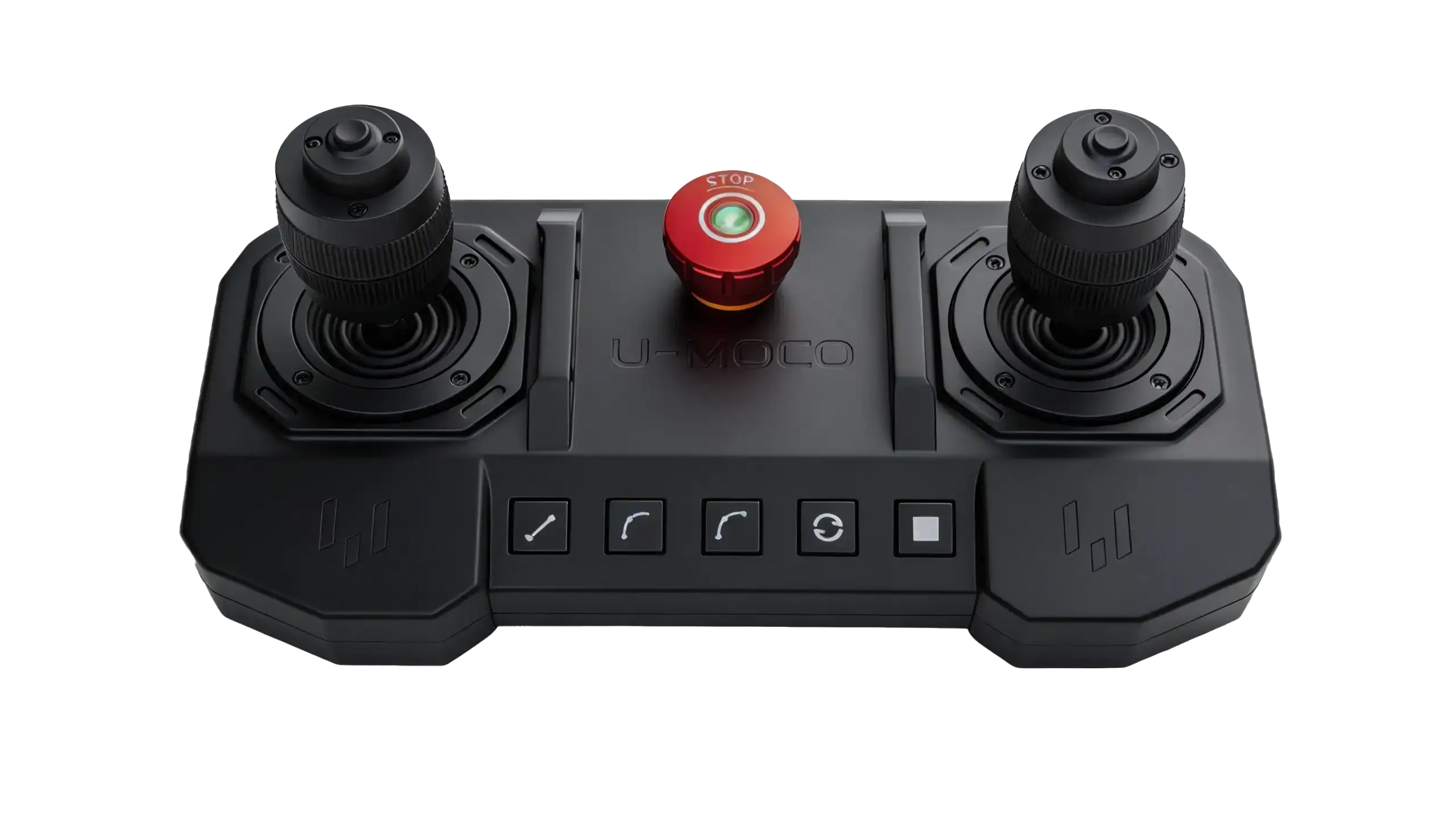
END CONTROLLER
Move to your ideal shot, then press to record.
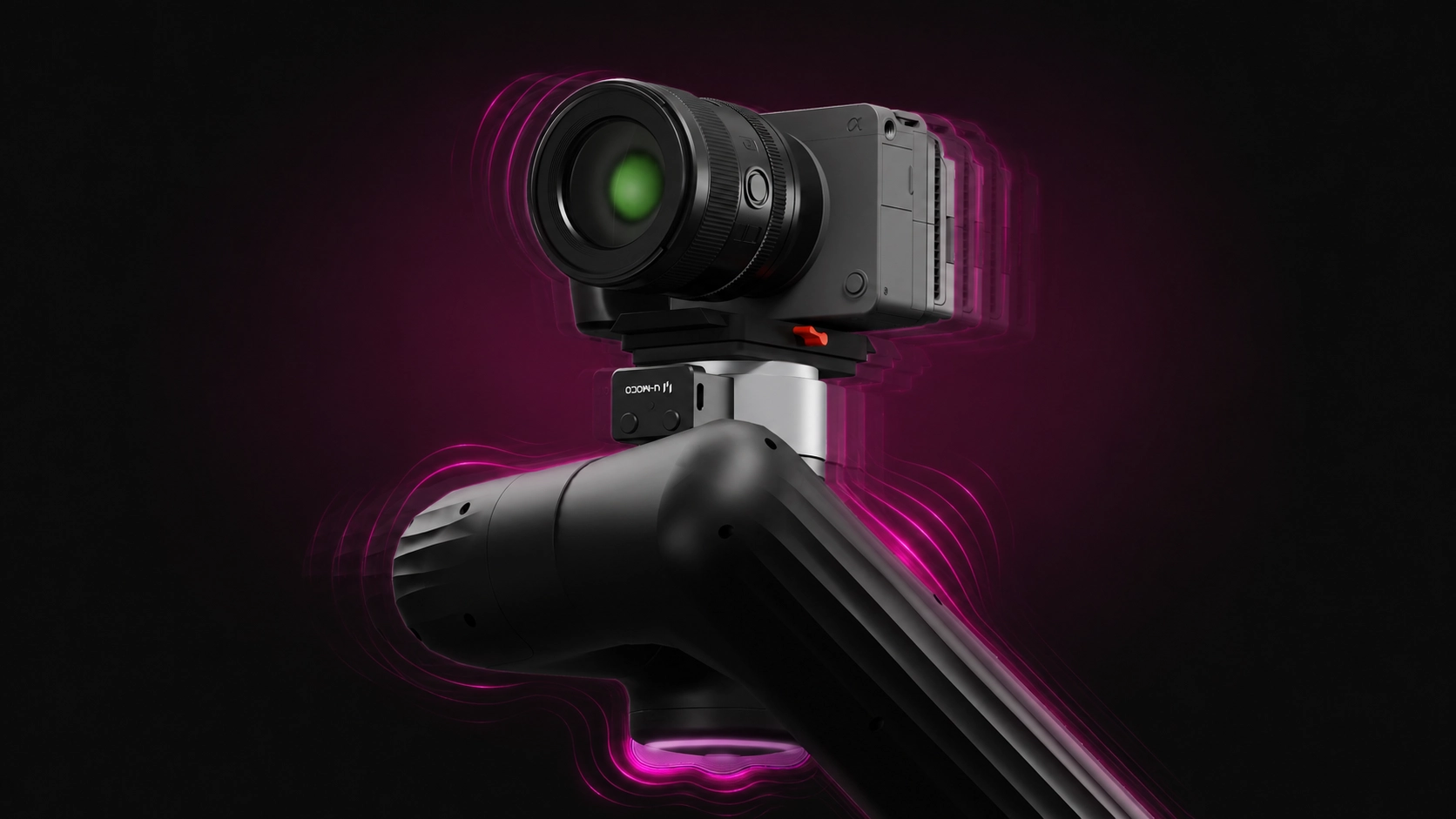
Micro-vibrations settle fast, motion stays steady
Low-noise operation, no disruption to audio
U-MOCO OS
Professional Timeline Creation
Windows public beta · Mac version in development, expected early 2027
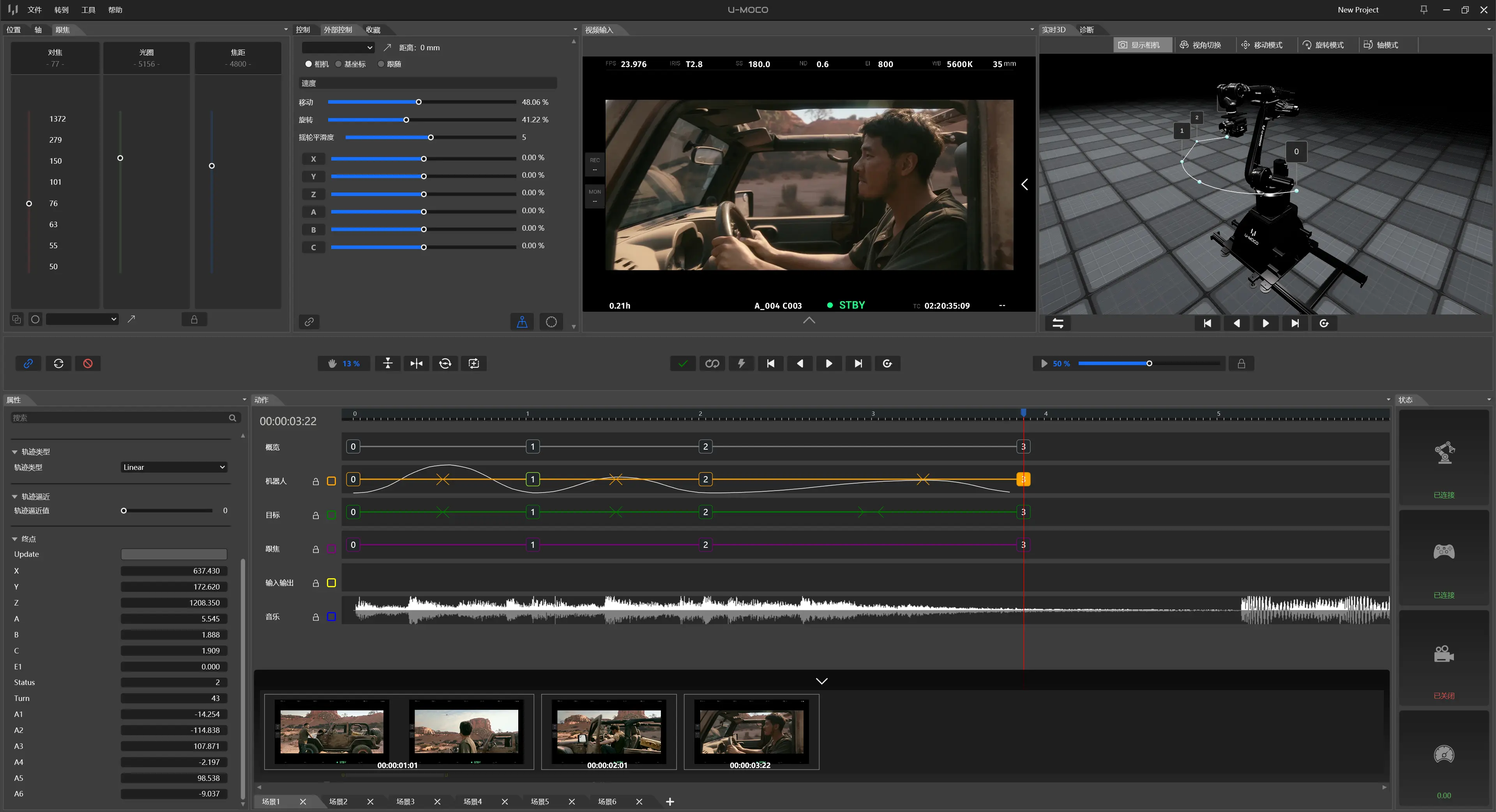
Three-axis translation Three-axis rotation
U-MOCO PILOT
Connect anytime Create anywhere
Wireless mobile control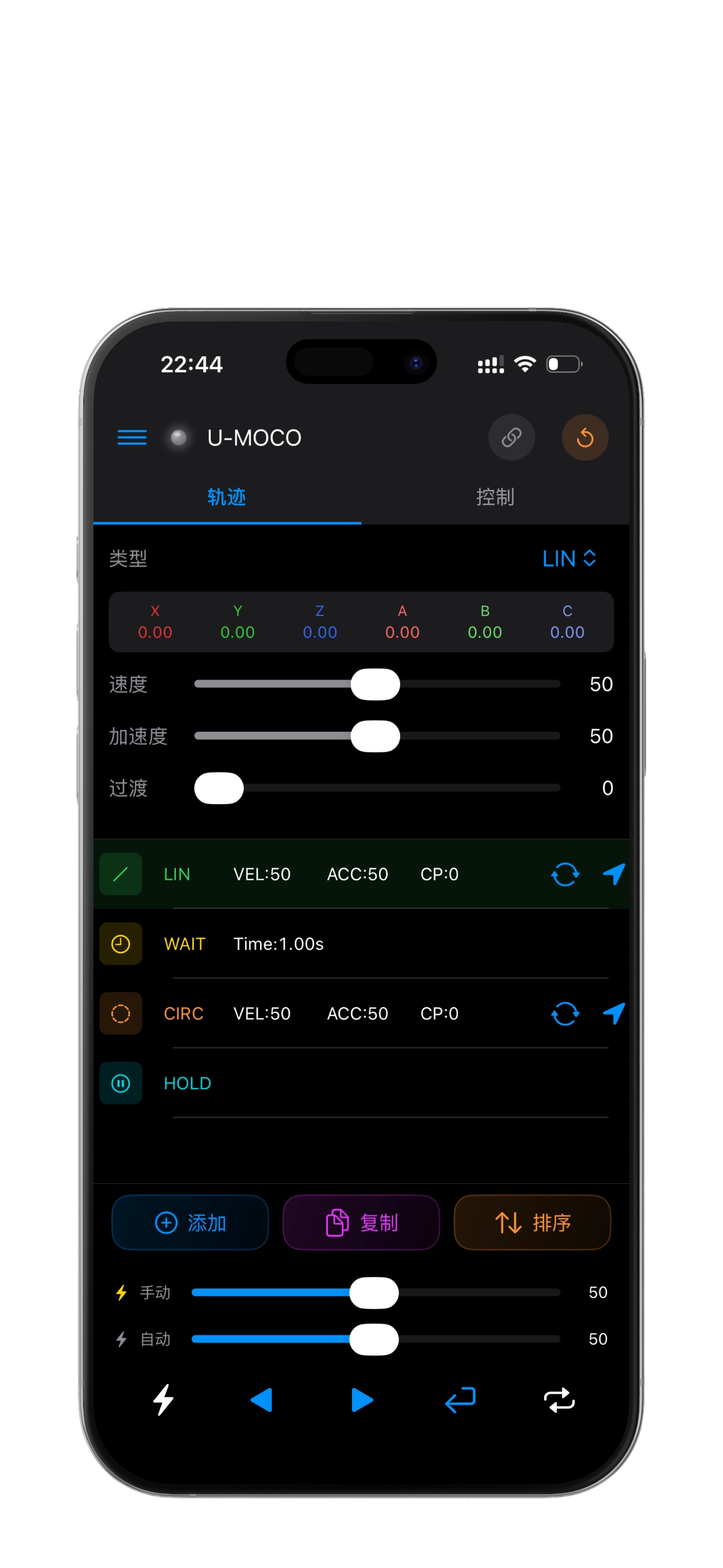
Guide, record, and reproduce—making complex camera moves feel more natural.
From product films to desktop content and live production.
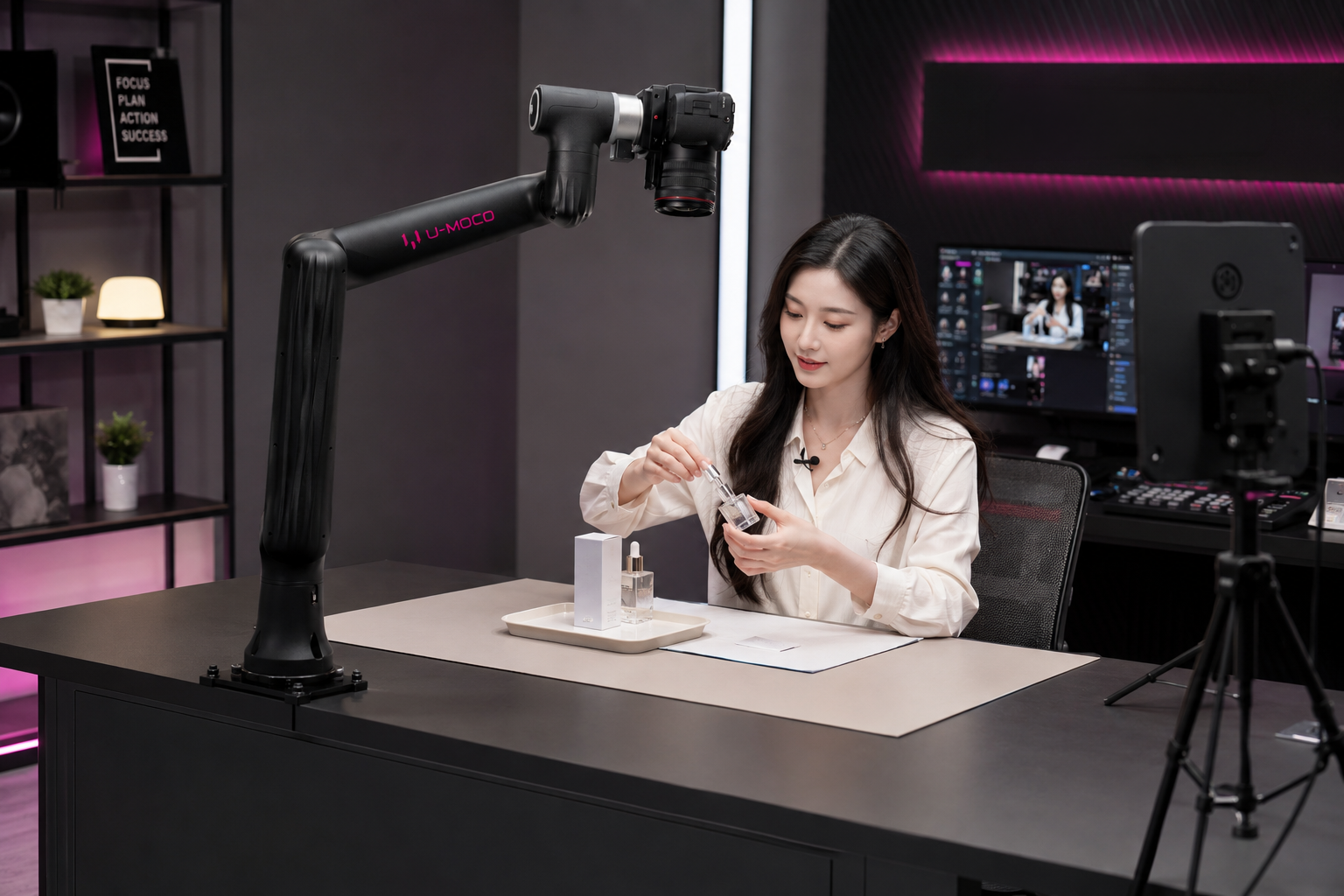
01
Repeat standout camera positions and give every stream a more professional finish.
01 / Live Commerce
Repeat standout camera positions and give every stream a more professional finish.
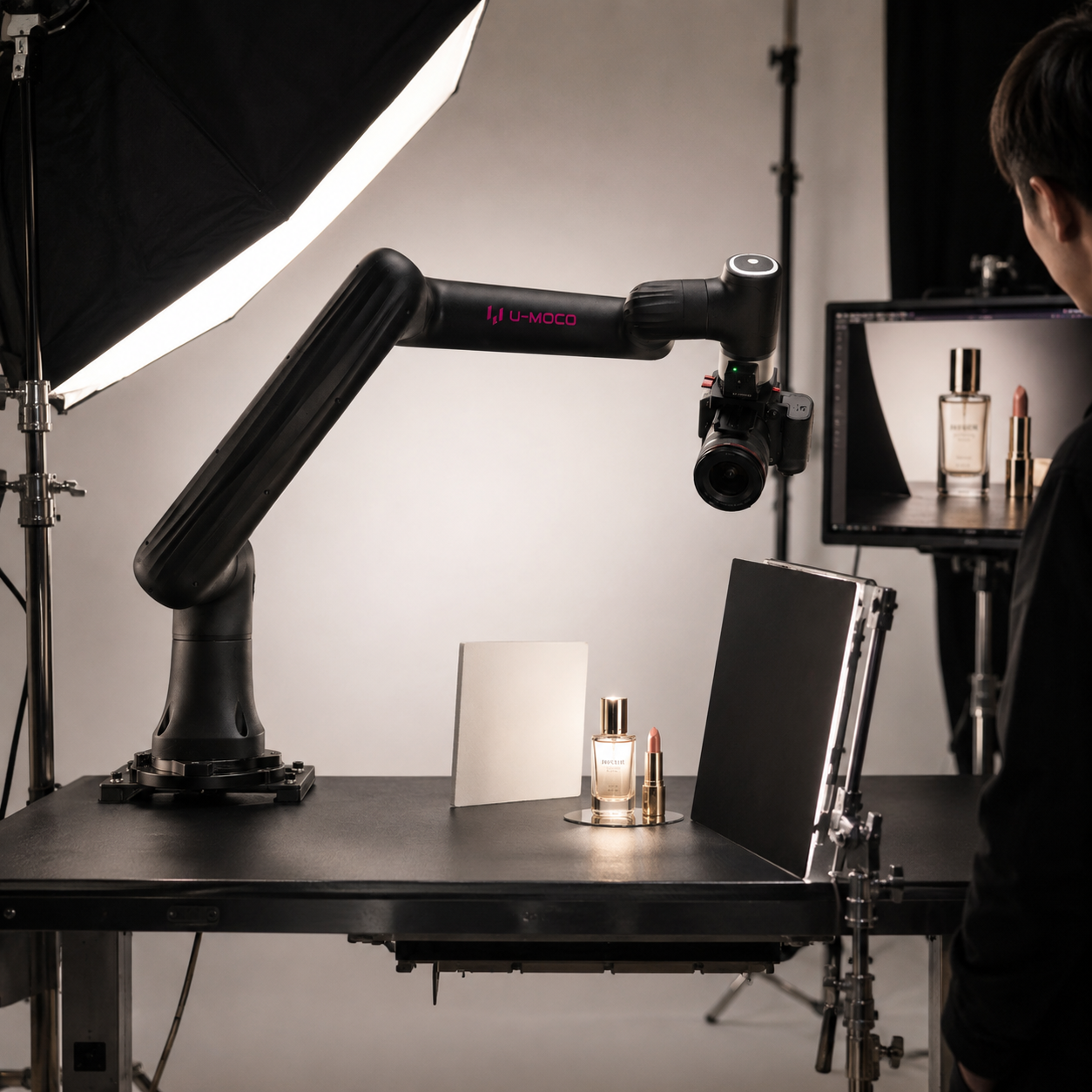
02 / Food & Beauty
Capture the texture of food and every detail of beauty products with precision.
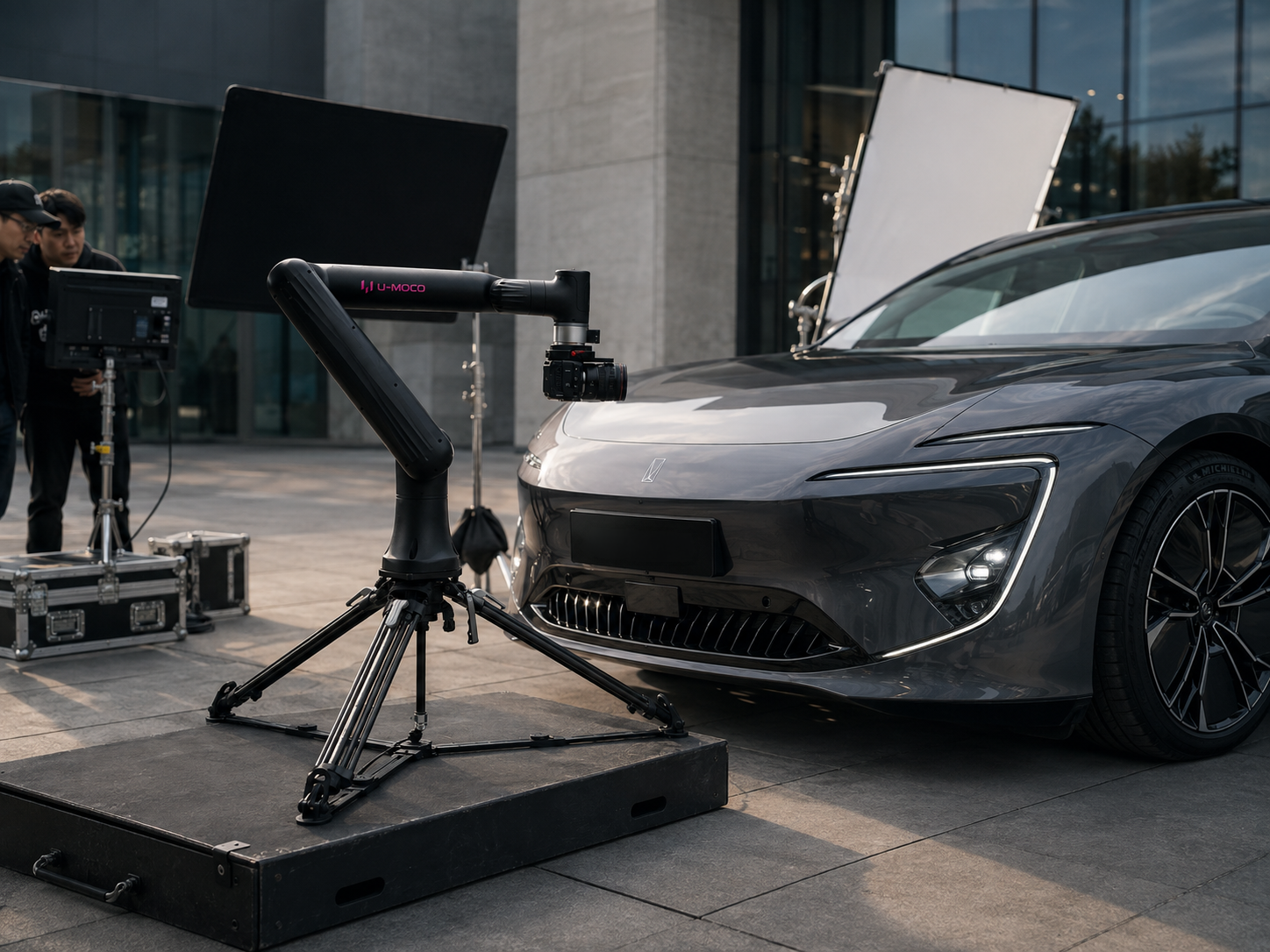
03 / Outdoor Filming
Deploy flexibly for diverse outdoor sets, including automotive productions.
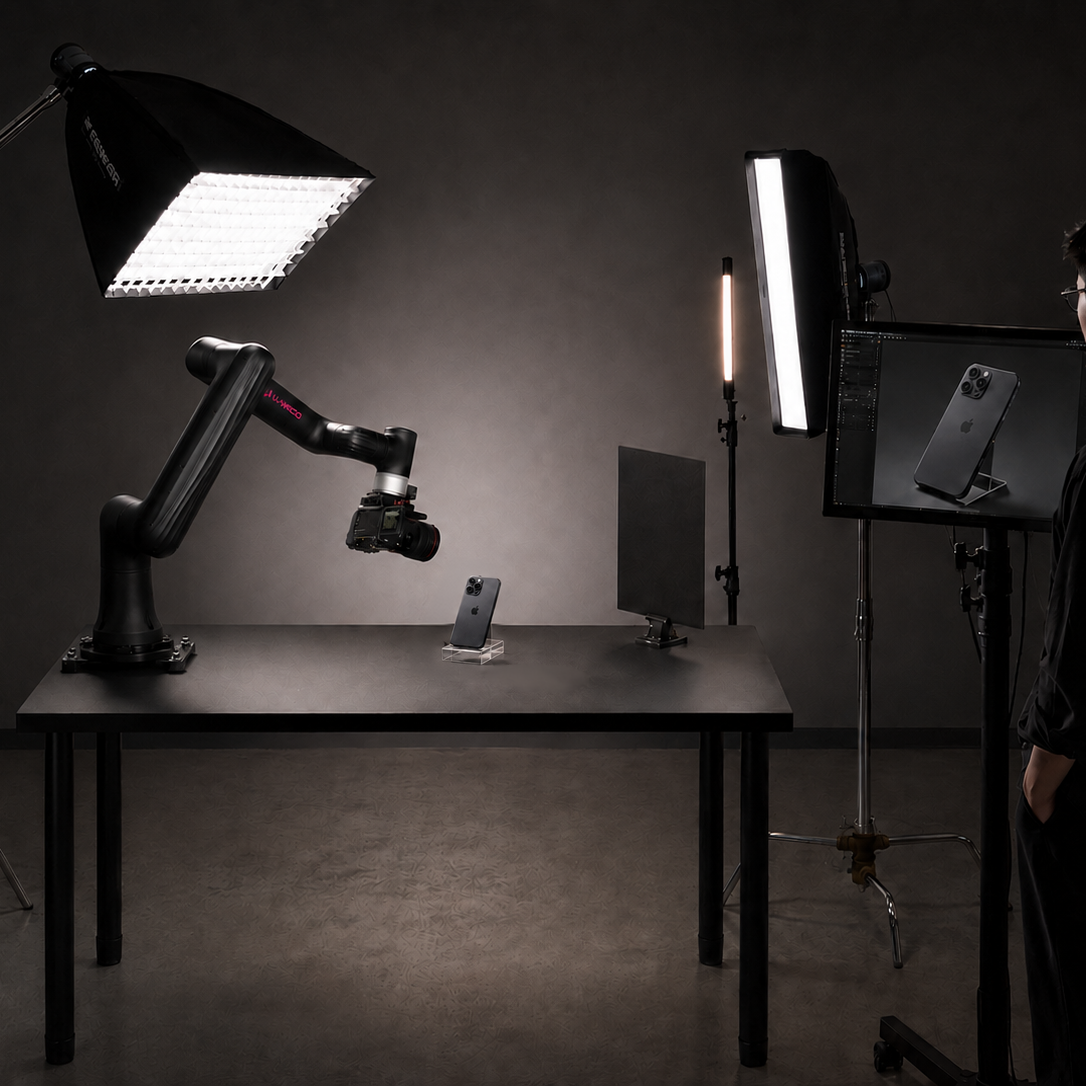
04 / Product Filming
Deliver the push-ins, rotations, and orbit moves required for polished product films.
U-MOCO GO
Bringing professional robotic motion control into every creator's workspace.
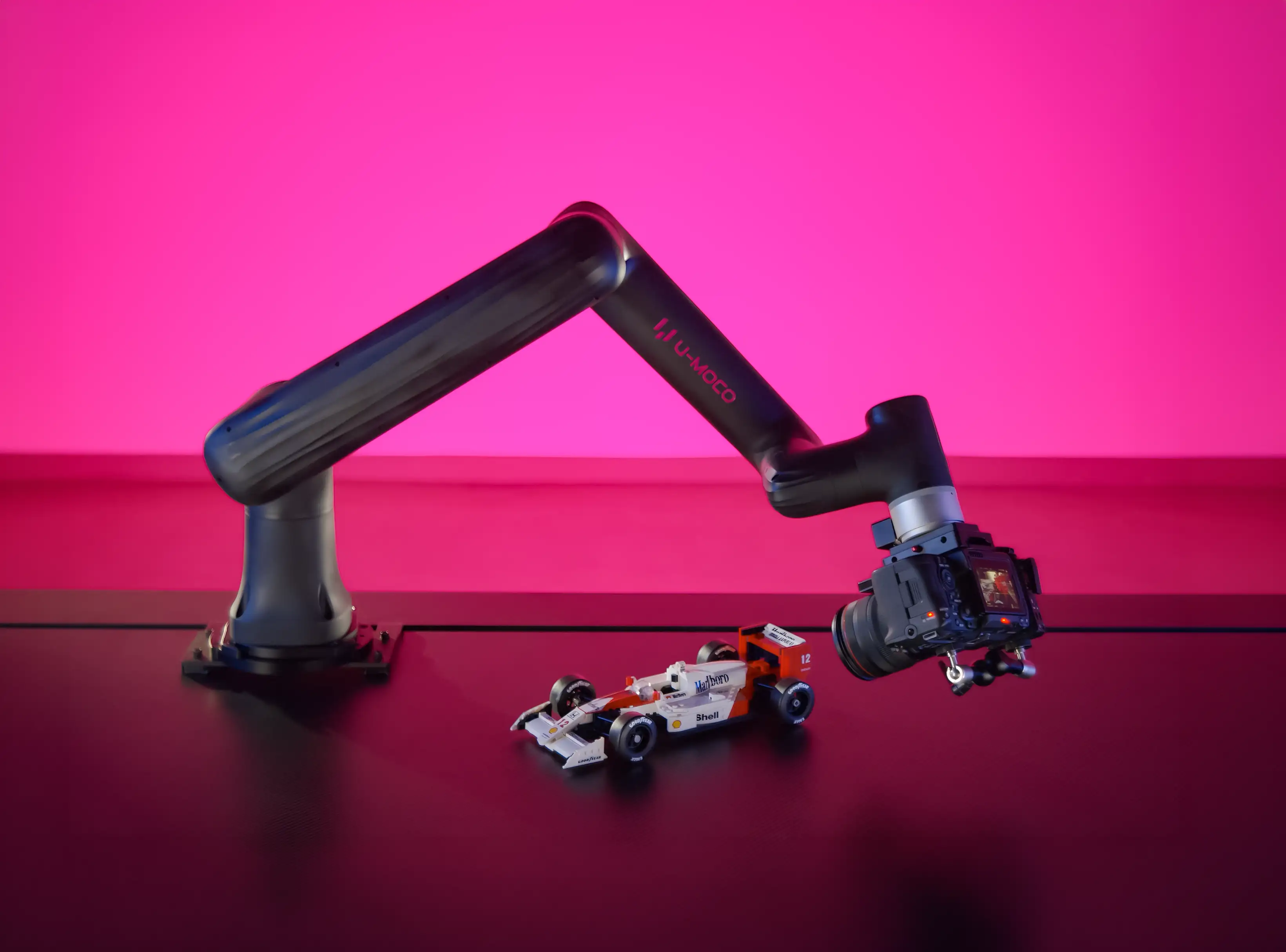
CORE PERFORMANCE
A lightweight body, flexible reach, professional payload, and repeatable precision for desktop creation.
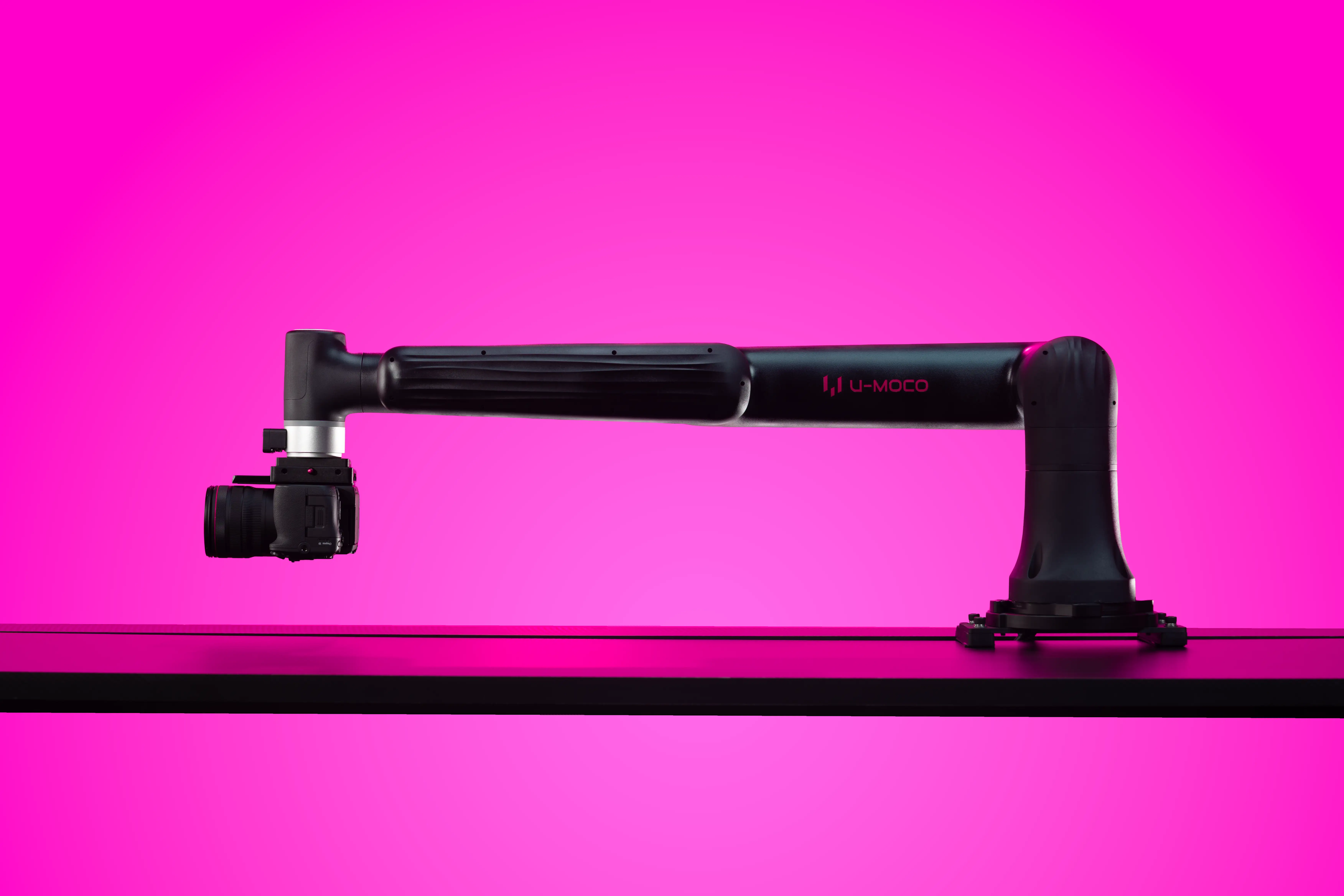
Cover pushes, orbits and overheads in a compact space.
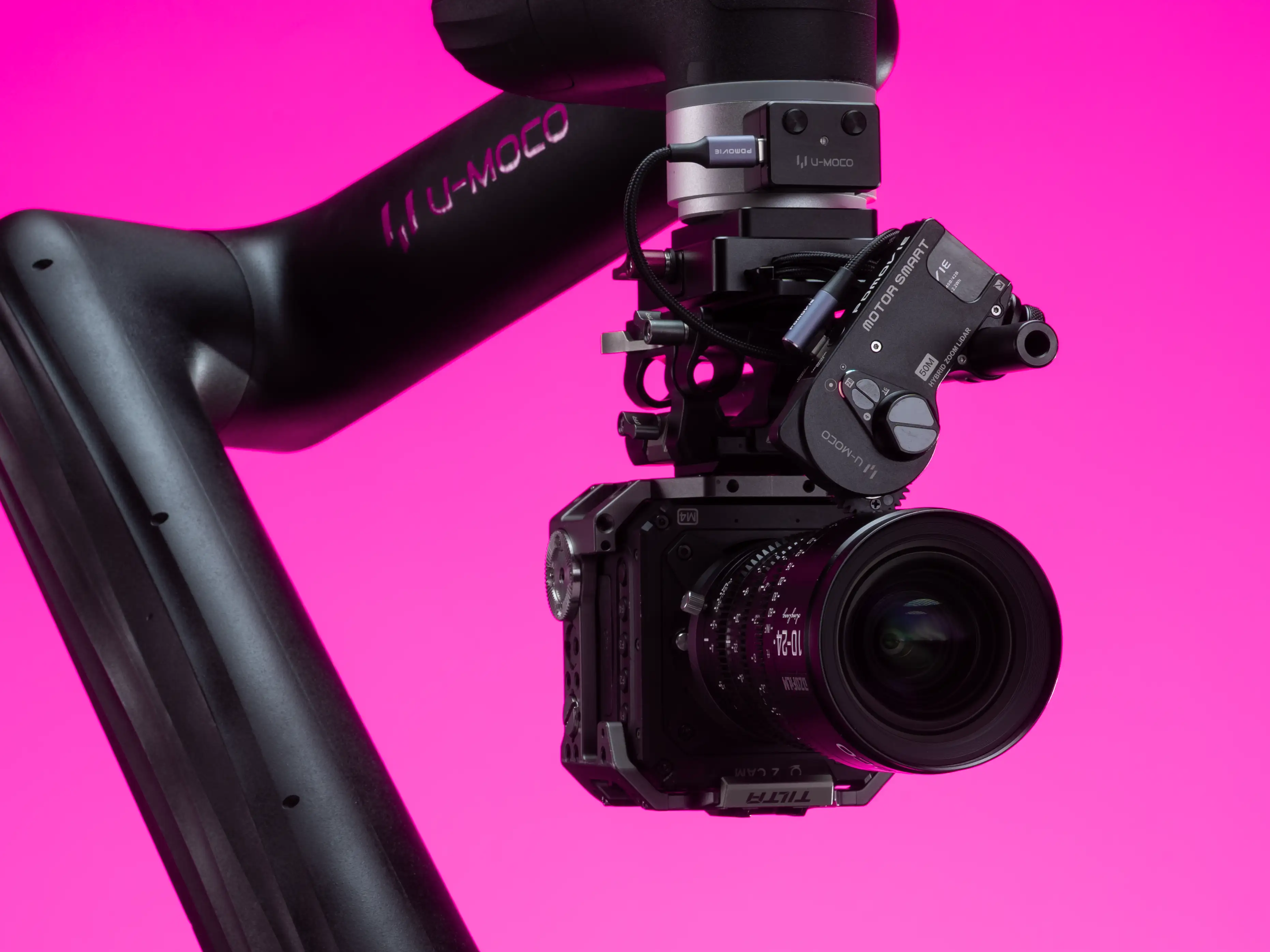
Stable support for mirrorless cameras, cinema cameras and common production accessories.
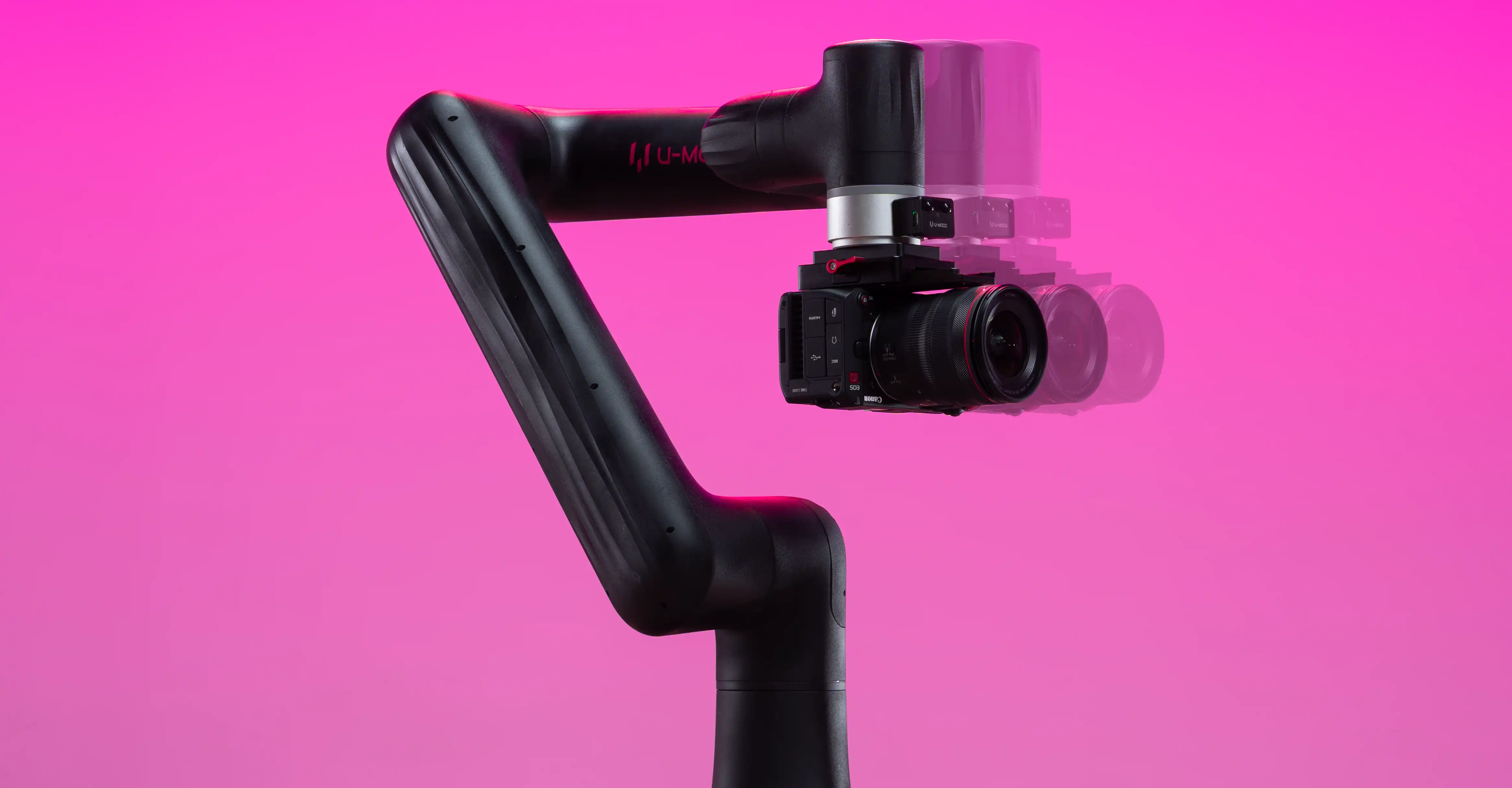
Repeatability
Stay stable and consistent across repeated runs, so repeated shots and motion paths remain dependable.
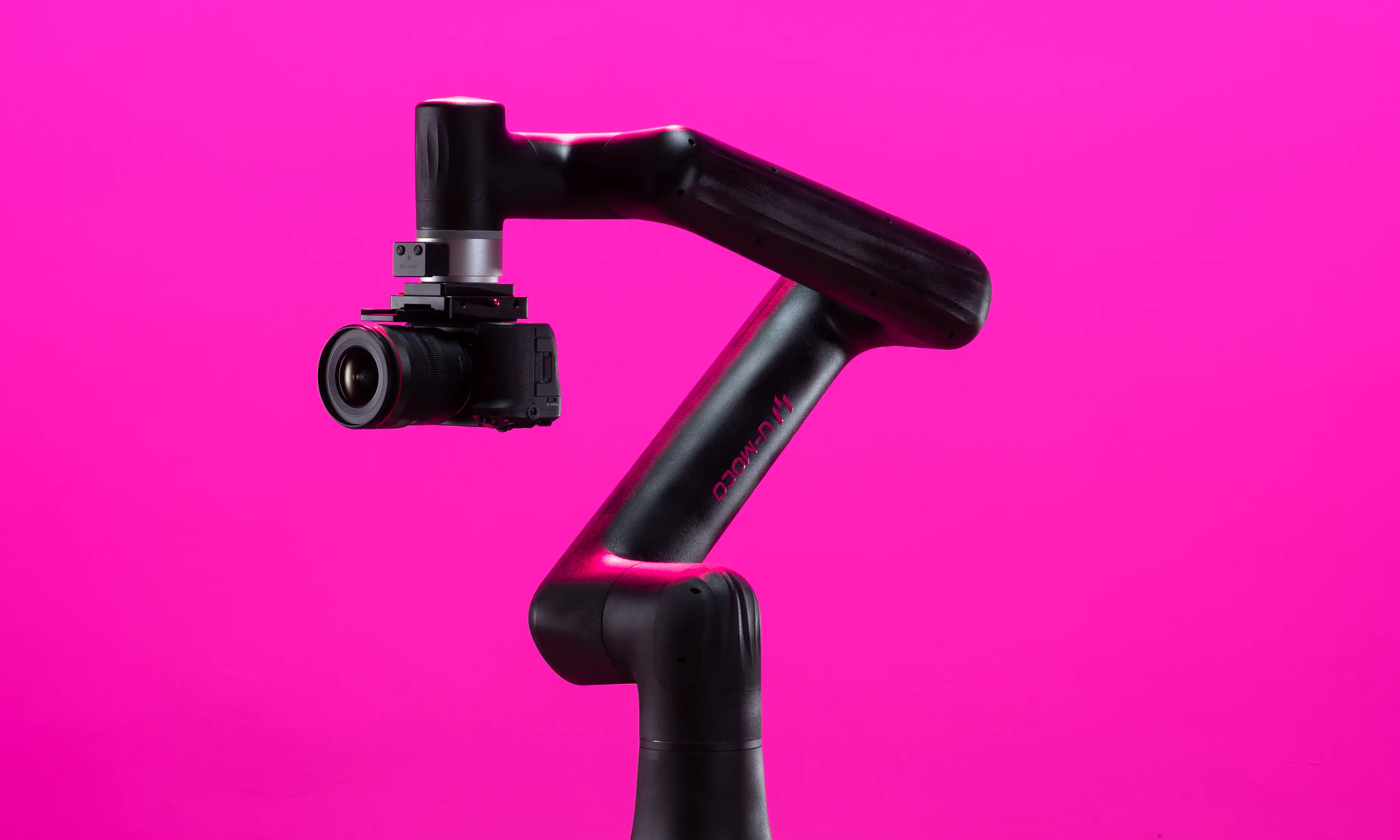
Move it easily and adapt quickly to desktops and compact shooting spaces.
Choose the mounting solution that best fits your shooting space and mobility needs.
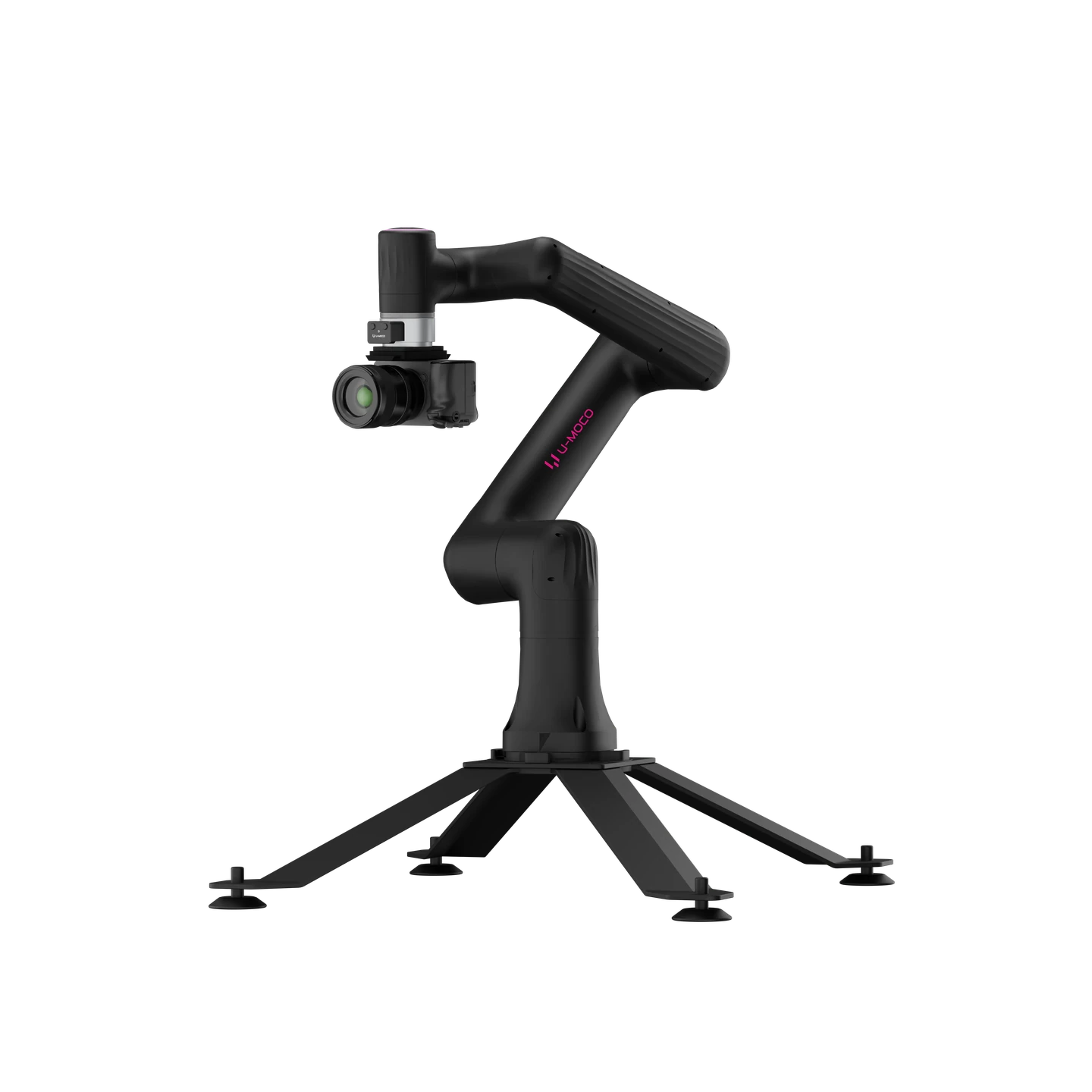
STABILITY FIRST
Low-centre four-point support that packs in one case with GO. Ideal for fixed shots, desktop creation, and long-term use.
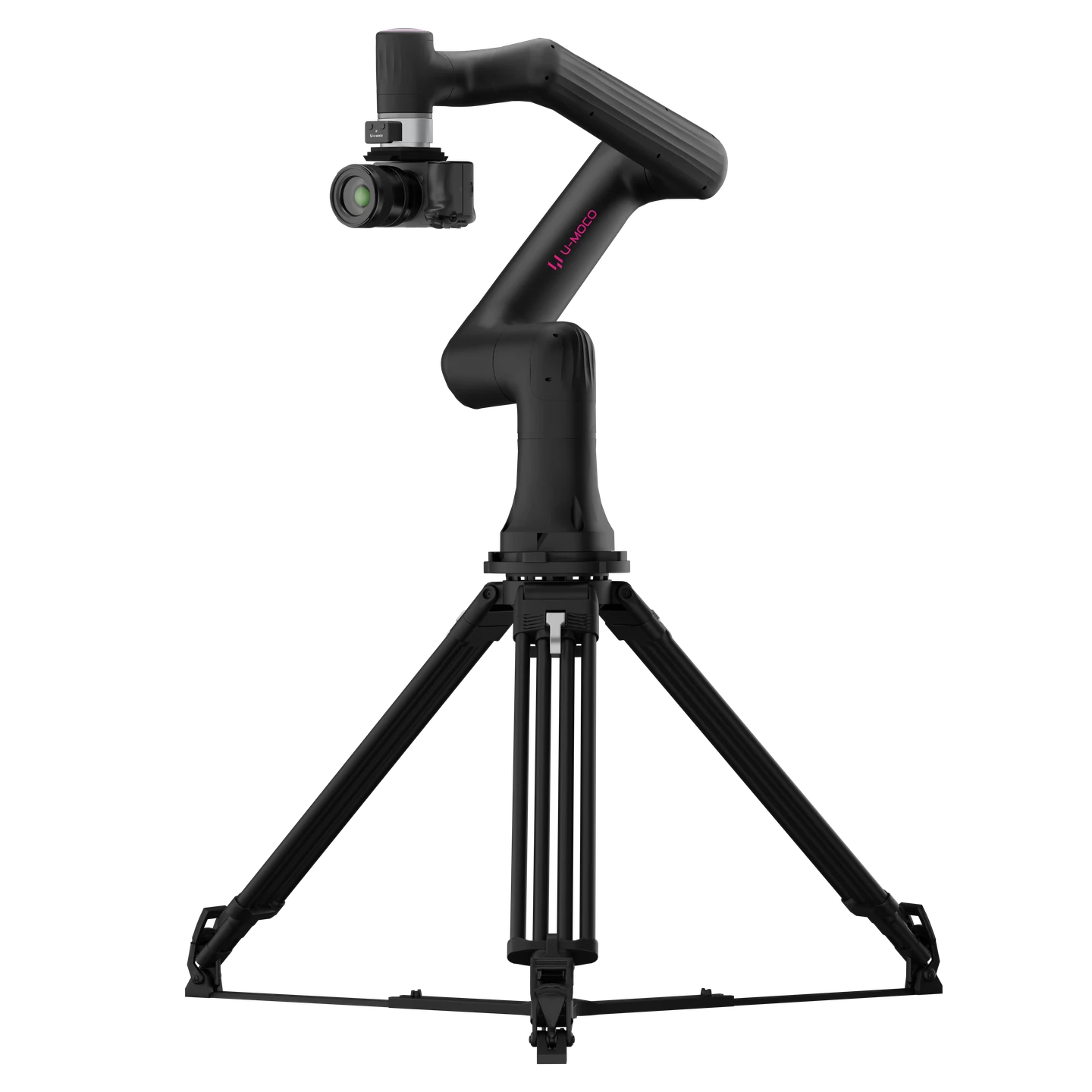
MOBILITY FIRST
Use the tripod adapter plate for quick installation and removal. Ideal for temporary setups and frequent location changes.
FINISH OPTIONS
The same professional performance, designed to fit naturally into your creative space.
.webp)
Designed for bright studios, creative workspaces, and contemporary interiors.
U-MOCO OS
From a quick start to professional production, capability expands with every creative need.
Start Easy
Set positions and segment speeds with nodes to create camera moves. The 3D view follows the arm’s actual movement in real time.
Precise Control
Set precise running times and preview paths offline while the arm stays still, then plan and check whether they can run.
U-MOCO PILOT
Simplified, intuitive mobile controls. Connect wirelessly without a computer or control cable, switch on and start shooting.
Set a target, orbit automatically
Steer moves with phone posture
Direct connection, no computer
Connect and shoot instantly
TECHNICAL DATA
Dimensions, rated payload and operating conditions from current product materials.
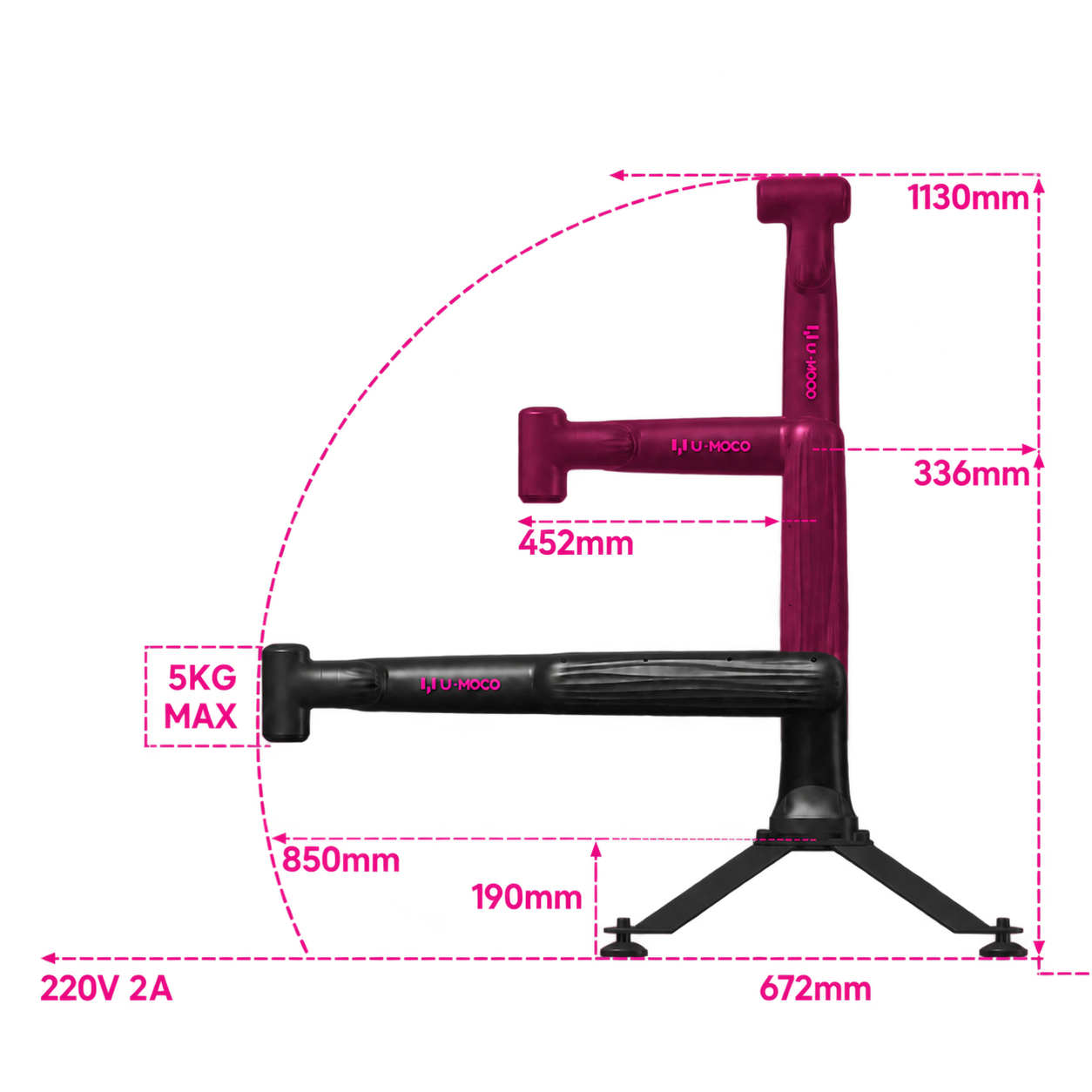
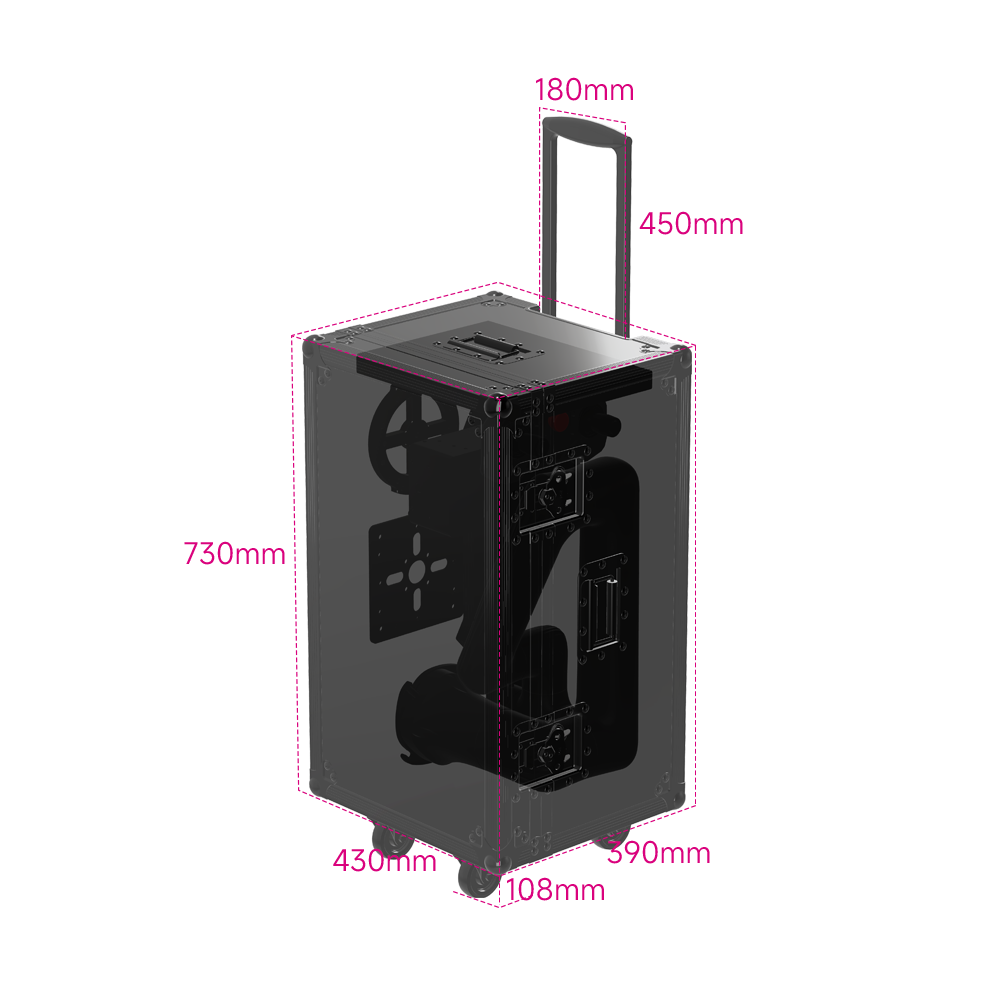
A compact footprint with professional mechanical performance for stable, repeatable camera movement.
2m/s
Maximum Speed
5kg
Rated Payload
±0.05mm
Repeatability
Approx. 2m³
Effective Working Space
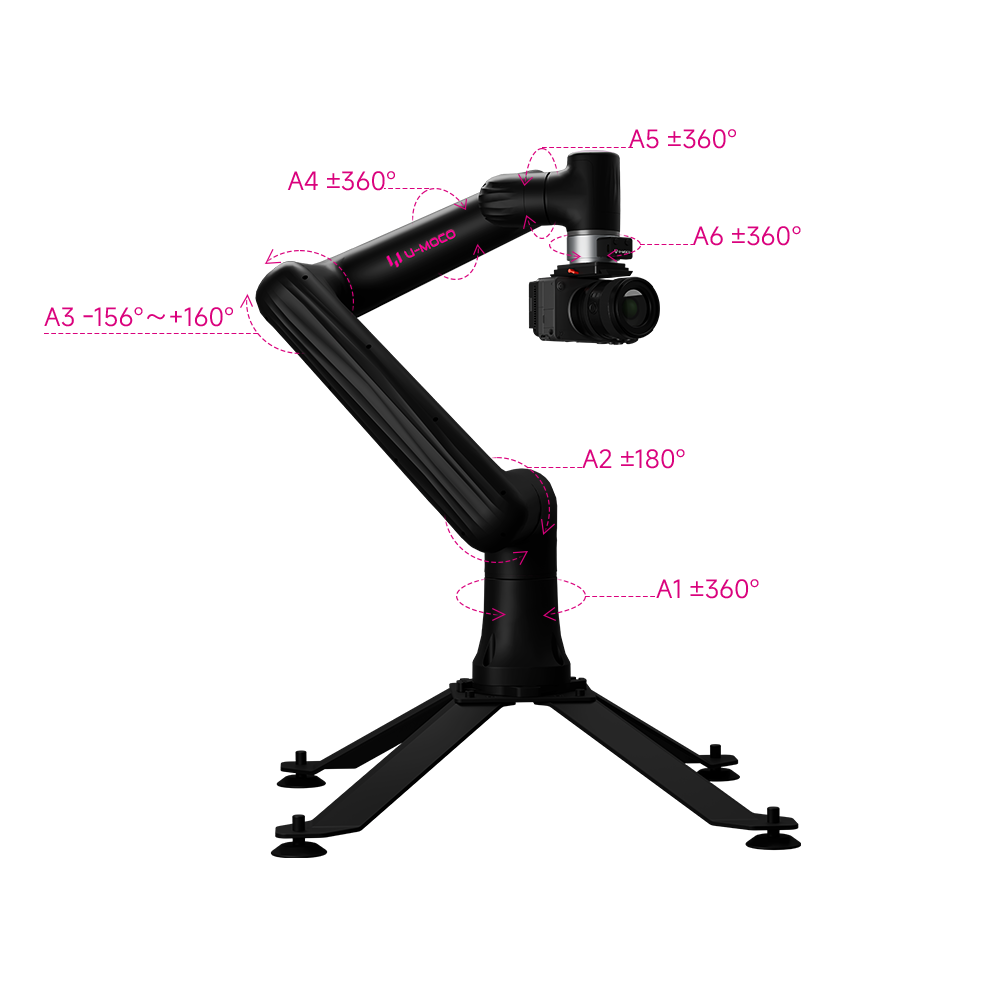
Lightweight arm design
Maximum Input Current: 2 A
Normal operating range
CONFIGURATION OVERVIEW
The Standard Edition covers essential shooting needs, while the Professional Edition further improves equipment setup, control, and on-set efficiency.
| What’s Included | Standard EditionEssential Shooting Setup | Professional EditionComplete Production Setup |
|---|---|---|
| CORE SHOOTING SETUP | Included with both editions | |
| Robotic Arm | ✓ | ✓ |
| Camera Quick-Mount Kit | ✓ | ✓ |
| Tripod Adapter Plate | ✓ | ✓ |
| OS LITE Control System | ✓ | ✓ |
| U-MOCO PILOT | ✓ | ✓ |
PROFESSIONAL EDITION Only included with the Professional Edition | ||
| HDMI Capture CardCaptures the camera's HDMI signal for monitoring and content input. | — | ✓ |
| End-Effector ControllerMark camera positions, control playback and work with LiDAR focus motors. | — | ✓ |
| Base StandStable support for fixed desktop setups and dedicated production spaces. | — | ✓ |
| Cyclone Quick-LockFast mounting and removal for a more efficient equipment setup. | — | ✓ |
| Integrated Control BoxPower and control integrated into one unit, reducing external cabling. | — | ✓ |
| BEST FOR | Fixed desktop setups, essential camera moves, and everyday content creation. | Frequent setups, equipment changes, and more complete on-set production workflows. |
CREATIVE EXPANSION
Expand control, power, and mounting options to fit U-MOCO GO into more creative spaces.
Six-axis freedom for precise camera position and orientation control, right down to the smallest framing adjustment.
Bring power and control modules together to reduce cabling and keep on-set deployment clean and efficient.
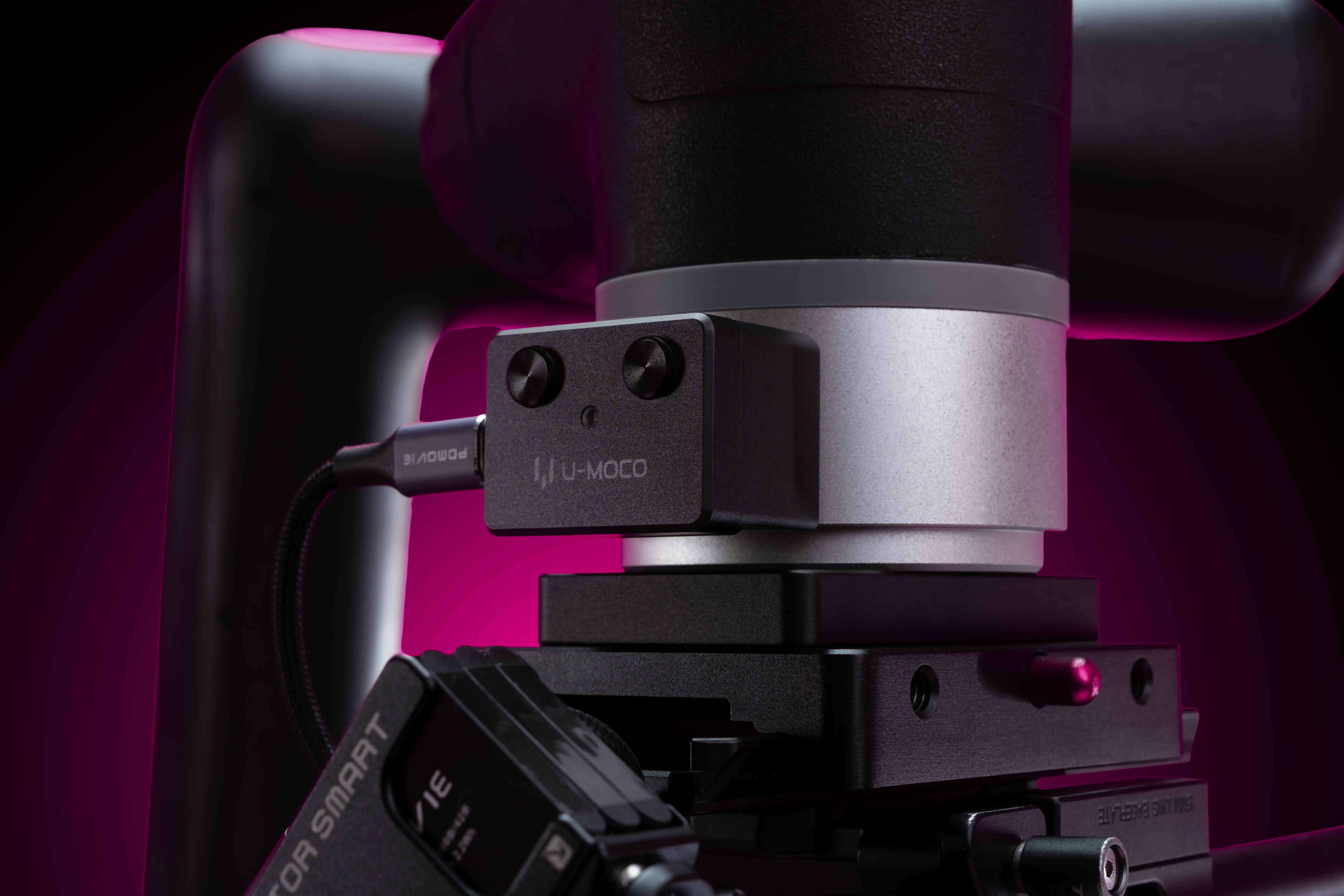
Mark camera positions, control playback and work with LiDAR focus motors.
Install and remove quickly, so GO can move flexibly between different support bases.
Mount through the tripod adapter plate and use the Cyclone Lock to switch quickly between the table and base.
Includes a 3/8-inch threaded hole and screw locating holes in several sizes. For dependable stability, we recommend the official base.
U-MOCO GO
GO suits live streaming, product, food, beauty, outdoor, advertising and automotive shoots, as well as individual creators and small studios.
Compared with a slider that mainly moves along a straight line, GO combines more camera angles and poses with repeatable motion, opening up creative shots, stop motion and time-lapse photography.
We recommend the Professional Edition for its more complete hardware setup and easier mounting, control and transport. The Standard Edition is best suited to basic filming.
Yes. GO’s mobile app simplifies the controls to make them more intuitive. Hand-guiding the arm and marking positions with the end-effector controller make it easy to set up shots, even on your first use.
You can control GO wirelessly with the U-MOCO PILOT mobile app. No computer or control cable is needed: switch on and start shooting.
It lets you mark camera positions, control playback and work with LiDAR focus motors for easier framing and operation on set. It is included in the Professional Edition.
GO includes a dovetail plate compatible with tripod quick-release plates, making camera mounting and switching between GO and a tripod easier.
GO has a rated payload of 5 kg, including the camera, lens, mounting plate, focus equipment and other end-mounted accessories. Centre of gravity and balance also matter.
For the steadiest results, moderate focal lengths and subjects of a typical size are easier to work with. Long lenses and extreme close-ups of very small objects place greater demands on stability.
An optional table clamp lets you secure GO to a tabletop.
The table clamp mounts through the tripod adapter plate, which works with the Cyclone Lock for quick removal and switching between the table and base. The Professional Edition includes the base and Cyclone Lock.
Yes, using the tripod adapter plate. It has a 3/8-inch threaded hole and screw locating holes in several sizes; for dependable stability, we recommend the official base.
With the flight case, GO can travel together with a computer, handheld remote controller, base and adapter plates, keeping the complete setup in one case.
You can save a path and play it back repeatedly for product variations and compositing. Keep the camera mounting and scene positions consistent between takes.
Choose OS PRO to set the robot’s running time precisely and match the camera move to the timing of your edit.
OS PRO can preview paths offline while the arm stays still, letting you plan and check whether a path can run. OS LITE’s 3D view follows the arm’s actual movement; it stops when it reaches a position where it cannot continue.
The Windows version is available in public beta. The Mac version is in development, with availability expected in early 2027.
Have another question?Talk to a product expert
U-MOCO GO
For the initial overseas batch, orders will be handled on a company-to-company basis due to international shipping and customs requirements.
Individual purchasing options will be available later.
Estimated shipping starts in October 2026.
Interested? Email us to secure your spot.
Email usinfo@u-moco.com
Special early-bird pricing is also available for our first overseas customers.
.webp)